B2B APIs: a practical buyer's guide to business data
Learn what B2B data APIs provide and how to evaluate coverage, freshness, history, query support, and provider fit before committing.
- written by
- Adewale ThomasMixRank
- published
- 18 November 2026
- reading time
- 10 min
- filed under
- Data Buyer's Guide
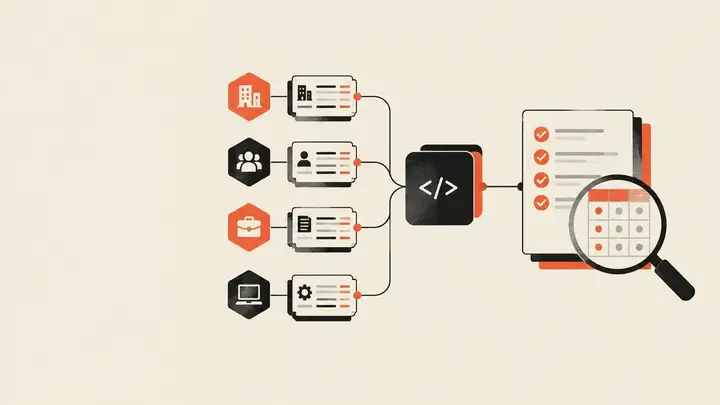
B2B APIs give software systems a structured way to request business data. A product can use one to find companies that match specific filters, add missing details to an existing record, or receive updates when business information changes.
Choosing a provider requires more than comparing database sizes. The data must cover your target records, return the fields your workflow needs, and arrive through an integration your team can maintain.
This guide explains what B2B data APIs do, which datasets they can provide, and how to test them before making a commitment.
What is a B2B data API?
A B2B data API is an interface that lets one system request structured business information from an external dataset. The response might describe a company, a professional profile, a job opening, or another business entity.
This distinguishes a B2B data API from an integration API that only moves records your organization already owns between internal systems. A data API supplies external information that can be searched, added to existing records, or used in analysis.
The API is the delivery mechanism. The dataset behind it determines what you can actually do.
A provider may offer a well-designed interface but lack coverage in your target market. Another may hold relevant records but not expose the filters or fields your product requires. Evaluation therefore needs to cover both the data and the way your systems will access it.
What data can you access through B2B APIs?
The term covers several kinds of business information. Not every provider offers every category, and the fields available within each category can differ.
Company data
A company data API can provide firmographic fields such as industry, location, company size, and ownership. Depending on the dataset, it may also include funding, hiring activity, and historical company changes.
Common uses include market segmentation, account research, lead qualification, and investment analysis.
People data
A people data API can provide employment, role, tenure, education, and professional-history fields. Teams use these records for candidate research, CRM enrichment, identity resolution, and understanding the people associated with a company.
Job-posting data
A job posting data API provides job openings and hiring activity. When postings are connected to company records, users can study hiring by employer, role, location, or period.
This can support labor-market research, investment diligence, lead prioritization, and analysis of organizational expansion.
Technographic data
Technographic data describes the technologies associated with websites. Installation and removal history can help users study technology adoption, identify accounts using relevant tools, and track changes over time.
Mobile app and SDK data
Mobile app and SDK data can include app metadata, publisher details, SDK detections, installations, and removals. Product and research teams can use it to analyze app markets, SDK adoption, and publisher activity.
Before comparing providers, define which entities, fields, and historical records your workflow requires. A broad dataset is useful only when its relevant portion matches your use case.
How do B2B data APIs fit into your workflow?
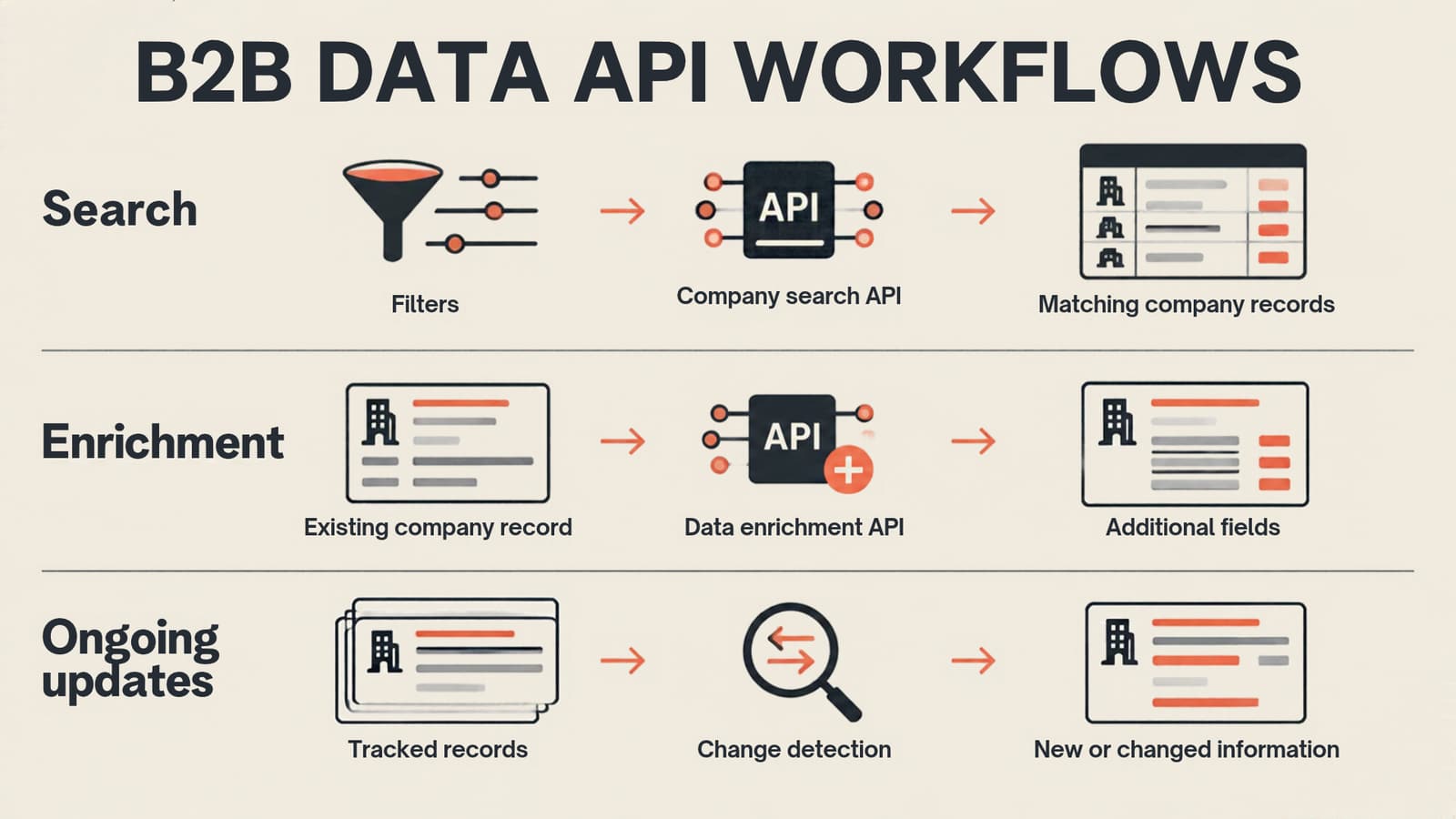
Most buyer workflows involve some combination of search, enrichment, updates, and bulk analysis.
| Workflow | Starting point | Intended result |
|---|---|---|
| Search | Filters such as industry, location, role, or technology | Records that match the query |
| Enrichment | An existing company, person, or other record | Additional fields attached to that record |
| Ongoing updates | Records or entities already being tracked | New or changed information |
| Bulk analysis | A defined market, segment, or research population | A larger dataset for a warehouse or analytical system |
A company search API helps users discover records that match query-supported fields. For example, a buyer might need companies in a particular industry and location, with additional filters for attributes relevant to their product.
A data enrichment API starts with a record the buyer already has and adds or updates information on it.
This distinction affects testing. Search evaluation should examine query flexibility and the relevance of returned records. Enrichment evaluation should focus on entity matching, returned fields, and how the API handles records it can't match.
For ongoing analysis, also ask whether the provider supports incremental updates, change tracking, bulk exports, or warehouse delivery. An API may be suitable for interactive product requests while another delivery method is more practical for large analytical workloads.
How to evaluate B2B APIs and data providers
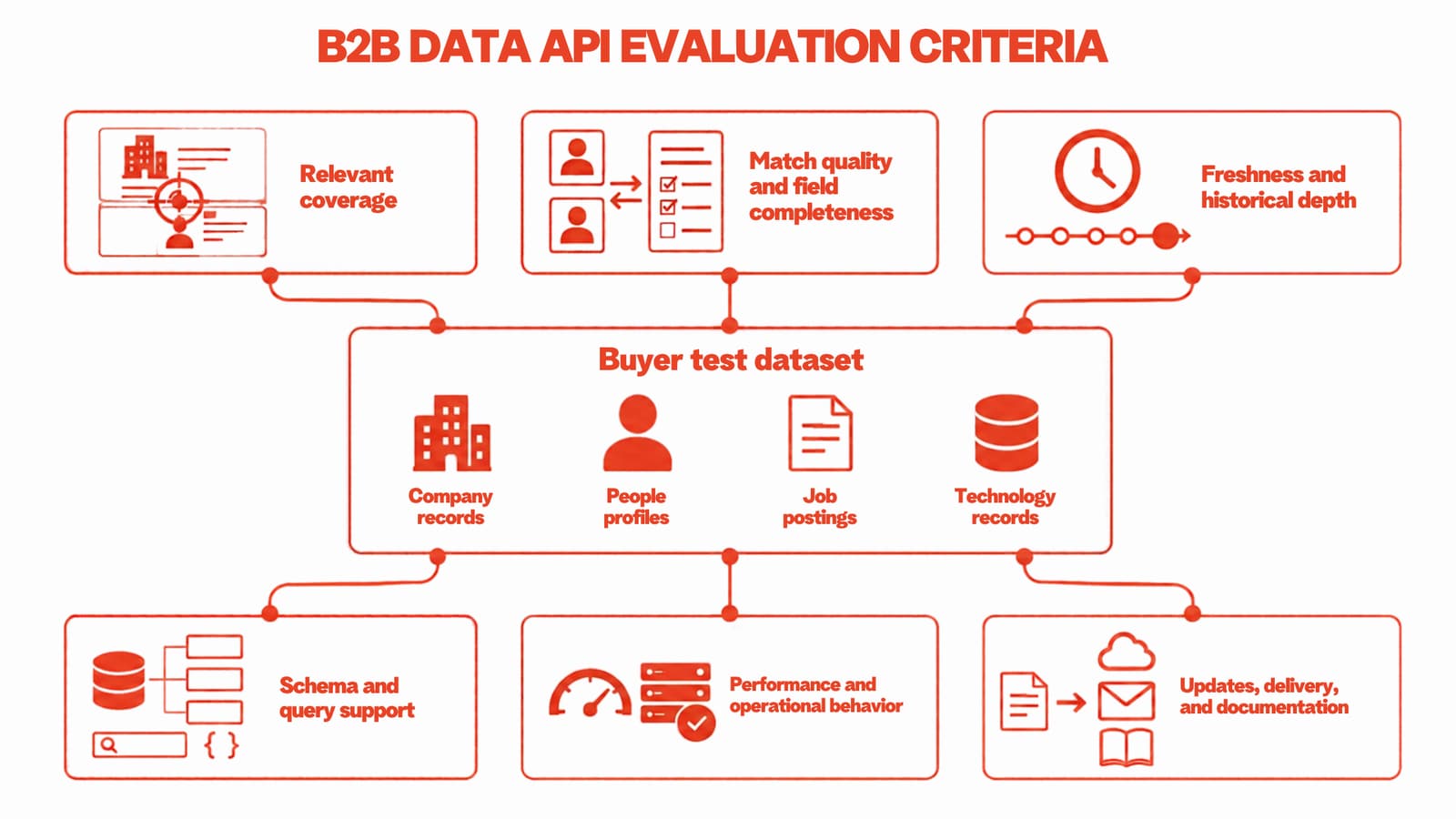
The criteria below should be weighted according to your use case. A recruiting product, an investment-research platform, and a CRM enrichment workflow won't place the same demands on a provider.
1. Coverage that matches your target records
Start with the segment you actually need. This might mean companies in particular countries, people in specific roles, postings within a defined period, or technology detections across a set of domains.
Ask providers to demonstrate coverage against your target population. Headline record counts don't show how much of your segment is represented.
2. Match quality
For enrichment workflows, test whether the API returns the correct entity. Similar company names, subsidiaries, career changes, and shared domains can make matching difficult.
Review incorrect matches and missed matches separately. Both affect the workflow, but they create different operational problems.
3. Field completeness and usability
A field can exist in the schema without being populated on the records you need. Inspect completeness on your own test set.
Also check whether the returned values are usable. Dates, classifications, locations, and identifiers should be consistent enough for your systems to process without extensive corrective work.
4. Freshness and historical depth
Freshness concerns when new and changed information becomes available. Historical depth concerns how far back the dataset goes.
These are separate requirements. A provider may offer recent updates with limited history, or a long historical series that doesn't meet your update requirements. Ask for evidence of both when your workflow depends on them.
5. Schema and query support
Review the available fields, filters, identifiers, response structure, and pagination behavior. Check whether the API supports the queries your product needs without requiring unnecessary intermediate processing.
Documentation should make input parameters and output responses easy to inspect. Quickstarts and functional examples can also reduce integration uncertainty.
6. Performance under your expected workload
Test response behavior using representative queries and batch sizes. Include broad searches, narrow searches, records with sparse information, and requests that should return no match.
Measure what matters to your application, such as response time, successful completion, error behavior, and the effort required to process responses.
7. Change tracking and delivery options
If your workflow depends on changes, establish how updates are represented. Ask whether you can identify new, changed, or removed information and whether the provider supports incremental delivery.
Consider the delivery mechanism alongside the API. Bulk files or warehouse delivery may be more suitable for periodic analytical workloads.
8. Documentation and operational fit
Review the reference documentation, examples, access requirements, and support process before estimating implementation effort.
The goal is to identify work your team will need to perform during integration and ongoing operation. A short initial request isn't a complete test of that effort.
How to test a B2B data API before committing
Follow the outlined steps and use the same structured test for every shortlisted provider.
Step 1: Build a representative test set
Include records and queries that reflect your real workload. Add difficult cases, such as similarly named entities, sparse records, recent changes, and targets outside your most common segment.
Keep the test set fixed so that results can be compared consistently.
Step 2: Run equivalent requests
Use the same inputs and intended outputs with each provider. Where query languages differ, document the translation and verify that the two requests are equivalent.
Separate search tests from enrichment tests.
Step 3: Score matches and returned fields
Define how reviewers will label a correct match, an incorrect match, and no match. Then inspect the fields returned for each correct result.
Record missing or unusable values against the fields your workflow requires. Avoid reducing the result to a single score if different failures require different remedies.
Step 4: Check freshness and history
Use records with known changes where possible. Examine available timestamps, historical values, and the provider's explanation of when updates become available.
For historical analysis, test whether the required periods and entity histories are actually present.
Step 5: Test operational behavior
Exercise empty results, invalid inputs, pagination, batch processing, and error responses. Review how your application would handle each outcome.
This is also the stage to test whether the documented response structure matches the responses your integration receives.
Step 6: Review integration effort
Estimate the work required to transform responses, manage identifiers, process updates, monitor failures, and maintain the integration.
A provider that performs well on the data test may still require substantial operational work. Record that effort as part of the evaluation.
B2B data API evaluation checklist
| Criterion | Question to ask | Evidence to examine |
|---|---|---|
| Relevant coverage | Does the dataset cover our target segment? | Results from our representative test set |
| Match quality | Does enrichment return the correct entity? | Correct, incorrect, and missed-match labels |
| Field completeness | Are the required fields populated and usable? | Field-level inspection on matched records |
| Freshness | When do new and changed records become available? | Update behavior and available timestamps |
| Historical depth | Does the dataset cover the periods we need? | Historical records from the test population |
| Queries and schema | Can we express our required searches and process the responses? | Filters, fields, identifiers, and response examples |
| Operational behavior | How does the API behave under our expected workload? | Tests of responses, errors, pagination, and batches |
| Updates and delivery | Can we receive changes in a workable format? | Incremental updates and available delivery methods |
| Documentation | Can our team implement and maintain the integration? | References, input parameters, outputs, and examples |
Where MixRank fits in your business data stack
MixRank provides company, people, job-posting, web-technographic, mobile app and SDK, and developer data. Delivery options include a REST API, bulk flat-file exports, and direct data-warehouse delivery. New data ships in hourly update files.
Examples of the available dataset scope include:
| Dataset | Scope | History |
|---|---|---|
| Company data | 120M+ total companies, 30M+ with employees on file, and 150+ fields | Since 2013 |
| People data | 1.2B total profiles, 830M active, and 250+ fields | Since 2013 |
| Job postings | 1.5B+ total postings and 50+ fields | Since 2021 |
| Web technographics | 160M+ domains, 2,700+ technology tags, and 50+ fields | Since 2012 |
| Mobile apps and SDKs | 25M apps, 110,000+ SDKs, and 150+ fields | Since 2008 |
| Developer data | 275M developer profiles, 2.6B+ repositories, and 100+ fields | Since 2022 |
The same evaluation process still applies. Buyers should test the records, fields, queries, and delivery methods against their own workflow. Dataset scope alone can't establish fit.
You can inspect the MixRank API documentation, review how MixRank is built, or request an evaluation.

Adewale Thomas
Adewale Thomas writes about technology and workforce data at MixRank, where he spends his time between sales-call transcripts, query logs, and the datasets themselves.